Observare.ai
Context & Problem
Observare.ai was an AI-powered observability platform designed to help engineering teams monitor and understand their distributed systems. In a landscape crowded with monitoring tools that generate overwhelming amounts of data, teams struggled to quickly identify root causes when incidents occurred.
The market problem was clear: existing observability tools provided comprehensive data collection but lacked intelligent analysis. Engineers spent hours sifting through logs, metrics, and traces to piece together what went wrong. We saw an opportunity to use AI to surface insights automatically, reducing mean time to resolution and cognitive load on on-call engineers.
My Role
As co-founder, I led product direction, user research, and frontend engineering for both the product dashboard and marketing site. This included conducting customer discovery interviews, defining the product vision, designing the core user experience, and implementing the React-based dashboard interface.
Discovery
We conducted interviews with 15 engineering leaders and on-call engineers at companies ranging from Series A startups to public companies. We also consulted with SRE teams and DevOps practitioners to understand their workflows during incident response.
Key learnings:
- Context switching kills productivity: Engineers toggled between 5-7 different tools during incident response, losing critical context each time.
- Alert fatigue is real: Teams received hundreds of alerts daily, making it difficult to distinguish signal from noise.
- Trust is earned, not given: Teams were skeptical of "AI magic" and needed to understand how insights were generated to trust them.
- Speed matters more than perfection: During incidents, engineers valued fast, directional insights over comprehensive analysis.
These findings shaped both our product design (unified dashboard with explainable AI) and market positioning (emphasizing speed and transparency over black-box automation).
The Dashboard
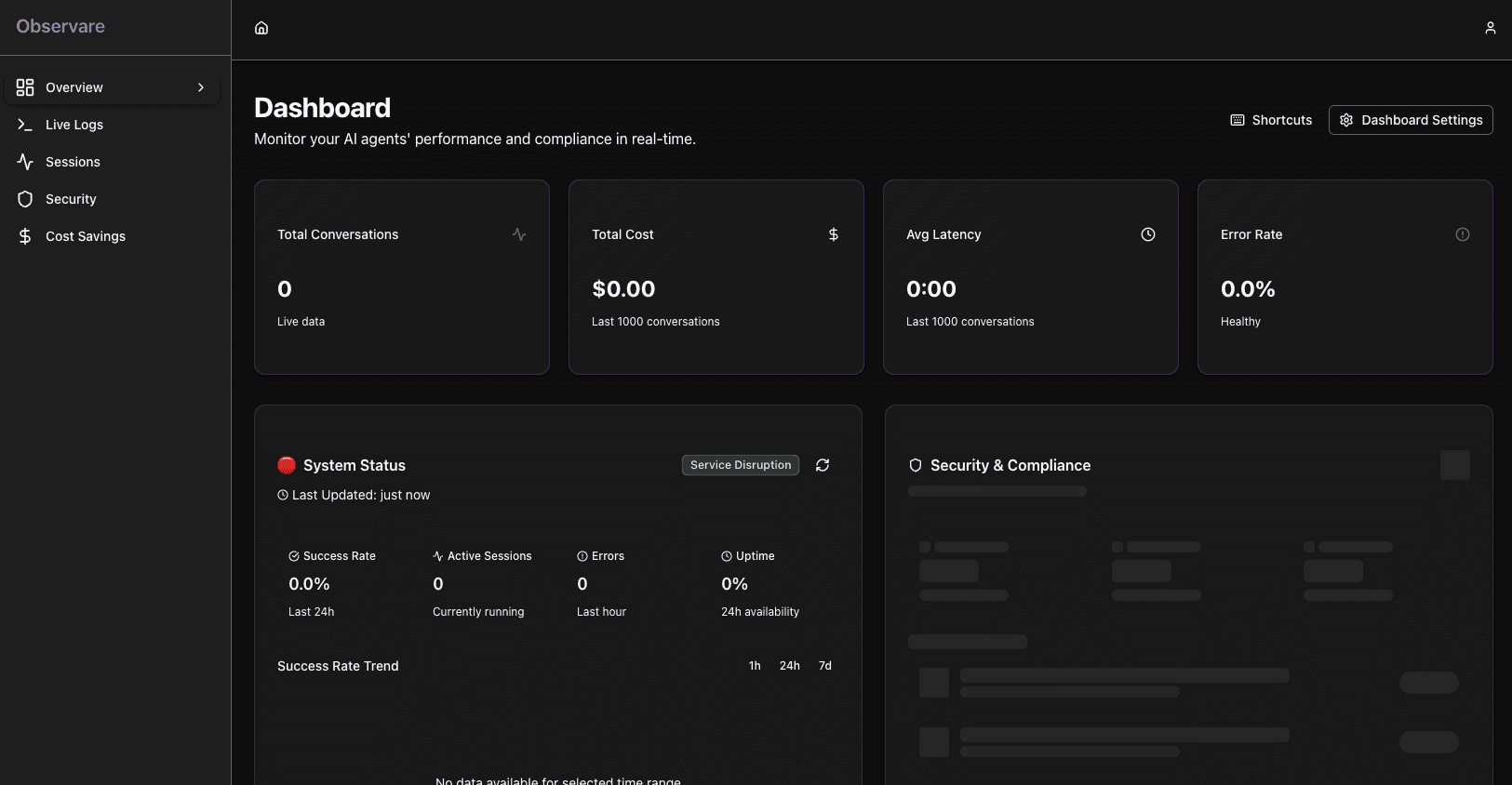
The dashboard was the heart of Observare.ai, where engineers would spend most of their time during incident response. We needed to solve several core UX problems:
- How do we present AI-generated insights without overwhelming users?
- How do we build trust in automated analysis?
- How do we support both quick triage and deep investigation?
Key Design Decisions
KPI-first hierarchy with integrated health monitoring: The dashboard prioritizes key performance metrics (sessions, cost, latency, error rate) in a scannable 4-card grid at the top. This reflects that users need both operational metrics AND health status at a glance—not just health alone. The error rate KPI provides immediate health indication through color-coded status (success/warning/error), giving users glanceable health without requiring a separate status-first approach. The Health Status Panel appears below in a prominent position alongside the Security Overview.
Feature-based navigation with 5 core sections: Navigation is organized by user tasks rather than abstract concepts. Users think in terms of "I need to check logs" or "I need to review sessions" rather than conceptual pillars. The five sections (Overview, Live Logs, Sessions, Security, Cost Savings) map directly to common workflows: monitoring, debugging, analysis, compliance, and optimization. This task-oriented approach reduces cognitive load—users don't need to remember which category contains which feature.
Real-time redaction event display with pattern-based detection: Instead of synthetic examples, we show actual redaction events from production with the sensitive data already redacted by the backend. This builds trust by demonstrating that the system is actively protecting real data. The UI displays redacted content (e.g., "Protected: [REDACTED]..."), PII types detected (SSN, email, phone), and processing speed. Users see proof of protection without exposing sensitive data. Client-side pattern detection augments this by analyzing tool inputs for additional PII patterns, providing defense-in-depth.
Key Engineering Decisions
Hybrid state management: We used TanStack Query for server state (API data, caching, background refetching) and React Context for client state (auth, preferences). This avoided Redux complexity while giving us smart caching, automatic retries, and built-in loading states for the data-heavy dashboard.
Component architecture with shadcn/ui: Built on shadcn/ui primitives (accessible, customizable, copy-paste components) organized by feature domain (dashboard/, logs/, security/). Used Server Components by default, only adding "use client" when needed. This reduced bundle size and improved initial load while maintaining full customization control.
Optimized data visualization with Recharts: Chose Recharts for its React-native API and TypeScript support, then added extensive performance optimizations: 300ms debouncing for updates, data downsampling for large datasets, memoized formatters, GPU acceleration, and lazy loading for below-the-fold charts. Custom hooks managed real-time updates with smart batching and equality checks.
Accessibility-first architecture: Built comprehensive WCAG 2.1 AA compliance system with automated testing. Custom color contrast utilities validated all design tokens programmatically, keyboard navigation with focus traps and skip links, semantic HTML with ARIA labels on charts, and performance optimizations that respected prefers-reduced-motion. Accessibility couldn't be bolted on later—it was architectural.

The Marketing Site
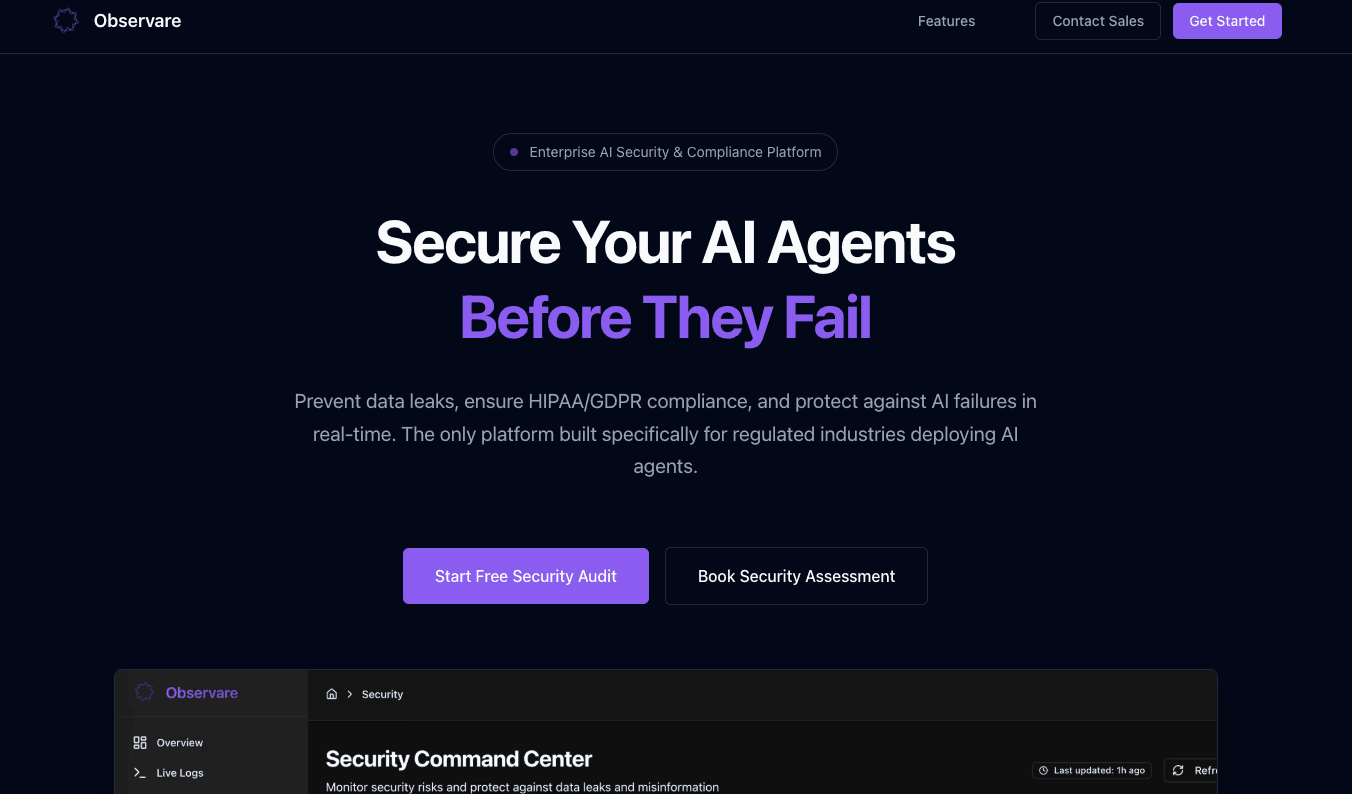
The marketing site needed to translate the product's technical value into clear positioning that resonated with both engineering leaders (who make buying decisions) and individual engineers (who influence adoption).
Key Decisions
Lead with the problem, not the technology: Early drafts focused on our AI capabilities. User research revealed that prospects cared more about outcomes (faster incident resolution, reduced alert fatigue) than implementation details. We restructured the messaging to lead with pain points and position AI as the enabler, not the headline.
Show, don't tell with interactive demos: Rather than static screenshots, we built an interactive demo that let visitors explore a sample incident. This addressed the trust issue we discovered in research—engineers could see exactly how the AI generated insights and evaluate the quality themselves. The demo became our highest-converting page.
Our research on trust and transparency directly informed the messaging strategy. We included a dedicated "How It Works" section that explained our AI approach in technical detail, and featured customer quotes that emphasized reliability over novelty. This positioning helped us stand out in a market full of vague "AI-powered" claims.
Outcome & Learnings
We shipped a working beta and onboarded 8 design partner companies. Early feedback was positive—teams reported 40% faster incident resolution and significantly reduced alert noise. However, we ultimately decided to shut down the project after 6 months.
The decision came down to market timing and go-to-market challenges. While the product solved real problems, the sales cycle for observability tools was longer than we anticipated (6-9 months), and we were competing against established players with significant market presence. As a bootstrapped side project, we didn't have the runway to outlast the sales cycle.
Key learnings:
- Product-market fit isn't enough: We had a product people wanted, but underestimated the distribution challenge in enterprise software.
- Transparency builds trust faster than perfection: Our explainable AI approach resonated strongly with engineers, even when the insights weren't always perfect.
- Real-time UX is hard but worth it: The engineering investment in WebSocket management and optimistic updates paid off in user satisfaction—engineers consistently praised the dashboard's responsiveness.
- Research early, research often: The insights from our discovery phase shaped every major product decision and helped us avoid building features nobody wanted.